

FEATURES
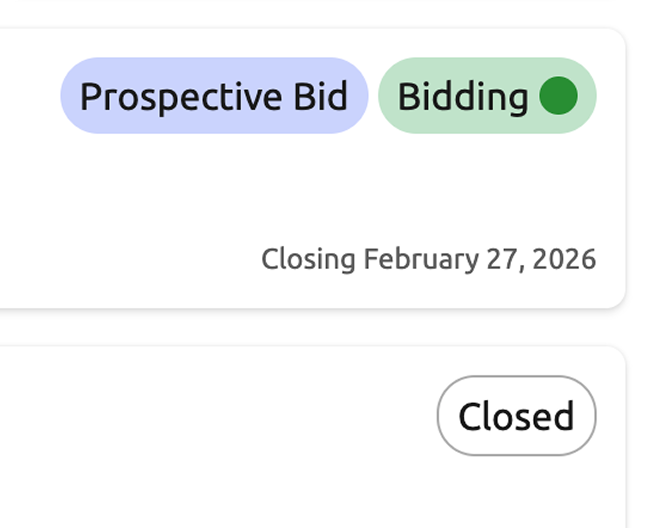
Color-Coded Bid Responses
See instantly which bids need attention, with invalidated or due soon bids flagged for attention.
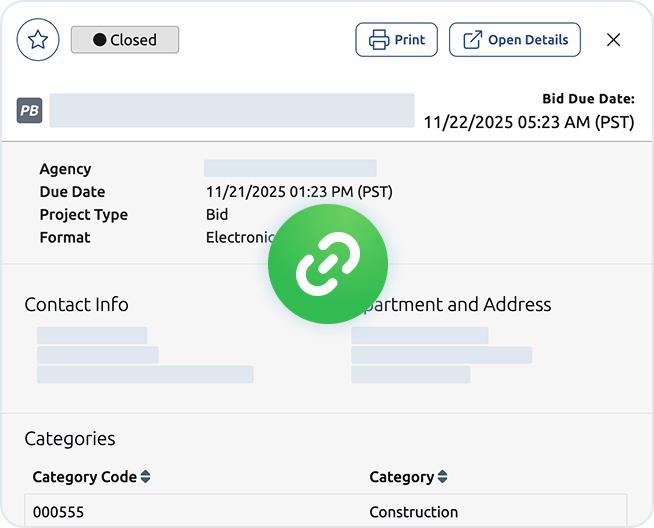
Invalidated Bids
Link directly to addenda to acknowledge and resubmit before the deadline passes.
Calendar Export
Export bidding events to any business calendar tool.
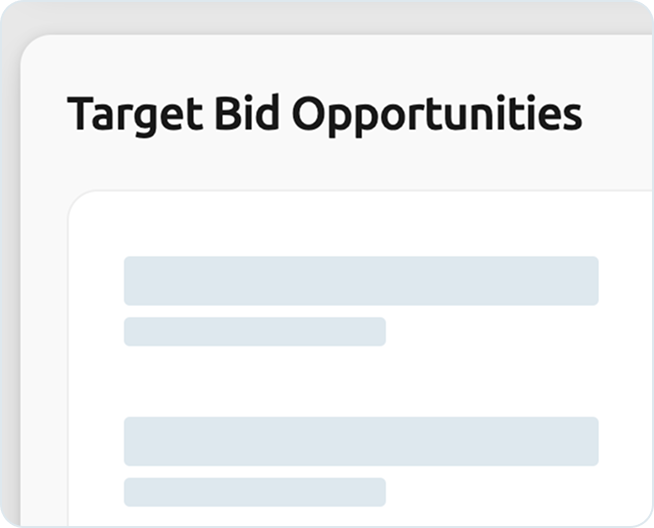
Target Bid Opportunities
Watched bids are front and center and sorted by closing date to stay organized and meet deadlines.
Mobile Responsiveness
Stay on track on the go so you never miss a deadline or an opportunity.
FEATURES
Color-Coded Bid Responses
See instantly which bids need attention, with invalidated or due soon bids flagged for attention.

Color-Coded Bid Responses
See instantly which bids need attention, with invalidated or due soon bids flagged for attention.
Invalidated Bids
Link directly to addenda to acknowledge and resubmit before the deadline passes.
Invalidated Bids
Link directly to addenda to acknowledge and resubmit before the deadline passes.
Calendar Export
Export bidding events to any business calendar tool.
Calendar Export
Export bidding events to any business calendar tool.
Target Bid Opportunities
Watched bids are front and center and sorted by closing date to stay organized and meet deadlines.
Target Bid Opportunities
Watched bids are front and center and sorted by closing date to stay organized and meet deadlines.
Mobile Responsiveness
Stay on track on the go so you never miss a deadline or an opportunity.
Mobile Responsiveness
Stay on track on the go so you never miss a deadline or an opportunity.
PROBLEMS SOLVED
- Opportunities across different PlanetBids agency portals can feel scattered and hard to stay on top of day-to-day.
- Important dates like bid closings, pre-bid meetings, and Q&A deadlines are easy to miss when they aren't on your calendar.
- It's easy to lose track of timelines and next steps for in-progress and upcoming work when managing multiple responses at once.
BENEFITS
- See all your most important bid activity across PlanetBids agencies and what needs attention in one place.
- Export key deadlines and events directly to your calendar so important dates show up alongside the rest of your schedule.
- Avoid missed deadlines, invalidated bids, and missed addenda.
- Reduce stress by keeping your active work organized and easy to track.
- Stay on top of deadlines without jumping between portals.
HOW IT WORKS
Opportunity Hub is your main dashboard in VendorLine, a single place to see what you're working on right now across the PlanetBids network. My Events highlights upcoming deadlines and key dates, including closings, pre-bid meetings, and Q&A cutoffs, and you can export important dates and times to your calendar to stay on schedule. My Bid Responses shows the status of your active responses, whether they're in draft, already submitted, marked as not bidding, or done.
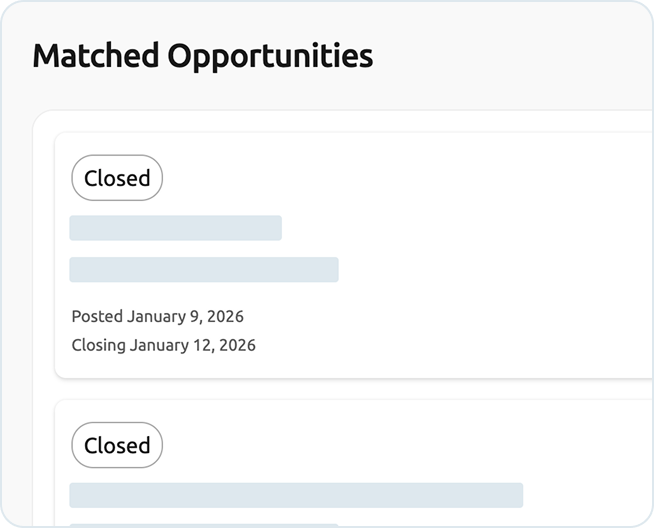
Target Bid Opportunities helps you keep track of bids you’re actively watching, sorted by closing date, and shows whether you're listed as a prospective bidder. If no bids are currently being watched, you can quickly add new ones with Matched Opportunities, which surfaces new solicitations that match your business profile and selected keywords so you can find new work faster.
FEATURES
AI-Powered Matching
AI analyzes your business, your keywords, your past work, and your previous search history to suggest new opportunities.
Daily Bid Matches
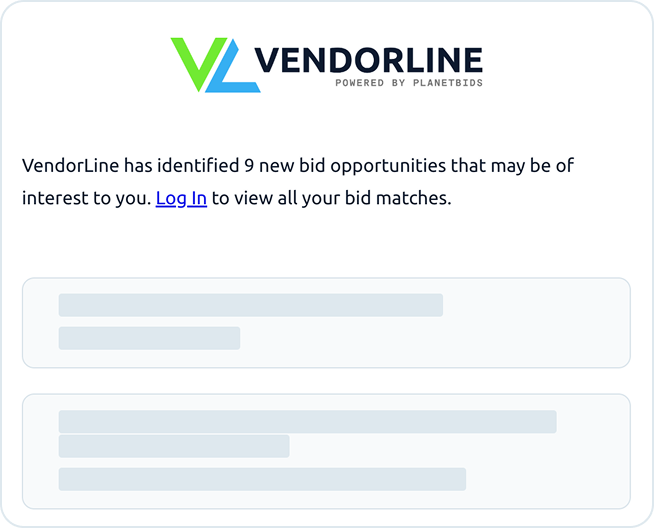
Get relevant new opportunities in your email each morning.
PlanetBids or Nationwide Bids
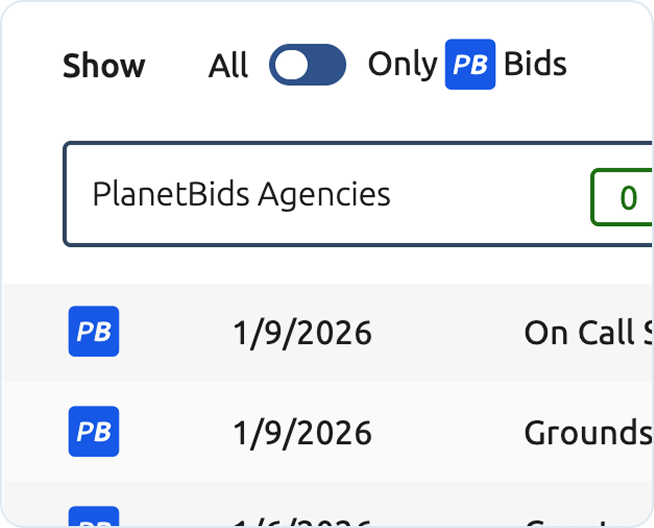
Choose whether to match with only PlanetBids’ member agencies or with agencies nationwide.
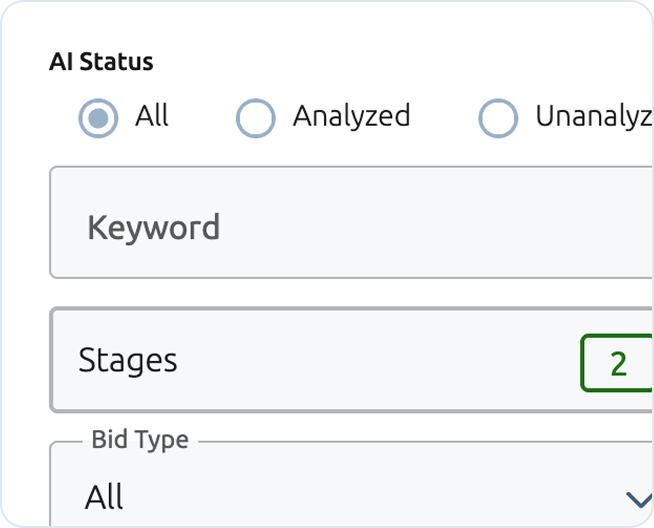
Comprehensive Search
Search based on keyword, category code, stage, due date, state, and/or county to access more than 10,000 bids.
FEATURES
AI-Powered Matching
AI analyzes your business, your keywords, your past work, and your previous search history to suggest new opportunities.
AI-Powered Matching
AI analyzes your business, your keywords, your past work, and your previous search history to suggest new opportunities.
Daily Bid Matches
Get relevant new opportunities in your email each morning.
Daily Bid Matches
Get relevant new opportunities in your email each morning.
PlanetBids or Nationwide Bids
Choose whether to match with only PlanetBids’ member agencies or with agencies nationwide.
PlanetBids or Nationwide Bids
Choose whether to match with only PlanetBids’ member agencies or with agencies nationwide.
Comprehensive Search
Search based on keyword, category code, stage, due date, state, and/or county to access more than 10,000 bids.
Comprehensive Search
Search based on keyword, category code, stage, due date, state, and/or county to access more than 10,000 bids.
PROBLEMS SOLVED
-
Bid opportunities are scattered across countless agency portals, websites, newspapers, and other posting sources, making it hard to know what you're missing.
- Finding the right projects often means spending hours searching, filtering, and clicking through listings that don't apply to your business.
-
Agency category codes aren't always consistent, and opportunities can be misclassified or incorrectly tagged, causing you to miss out on relevant bids.
-
Small teams don't have the time or staff to constantly monitor new opportunities across multiple regions.
-
Great opportunities get missed simply because they weren’t seen or were seen too late to bid.
BENEFITS
-
Use AI-assisted matching to surface bids aligned with your services, licenses, and keywords.
- Get explanations of why projects were matched and highlighted for your agency.
-
Combine categories and keyword signals to capture more relevant bids, even when agencies don't classify them perfectly.
-
Get matched opportunities delivered directly to your inbox every morning to act faster with less manual searching.
-
Let AI reduce the noise and free up your team (or yourself) by highlighting the projects most worth your attention.
-
Stay competitive without needing a full-time team dedicated to bid discovery.
-
Grow beyond your local market with AI-assisted matching that includes nationwide bid opportunities.
HOW IT WORKS
Bid matching starts with a simple setup based on the work you want to pursue. Choose the categories that fit your business, add relevant keywords, and select the states or markets where you want to search. AI helps guide this setup by suggesting stronger keywords and making it easier to build a profile that reflects your actual work.
Once your preferences are in place, VendorLine continuously finds and highlights new opportunities that meet those preferences, helping you catch bids even when they're incorrectly tagged. You'll see matches from PlanetBids member agencies as well as a nationwide registry of more than 10,000 active projects across all 50 states.
You can also run detailed searches at any time, refining results by category, keyword, location, agency, and more, to hone in on exactly the opportunity you want, then save a search to quickly return to the same criteria again whenever you need it.
FEATURES
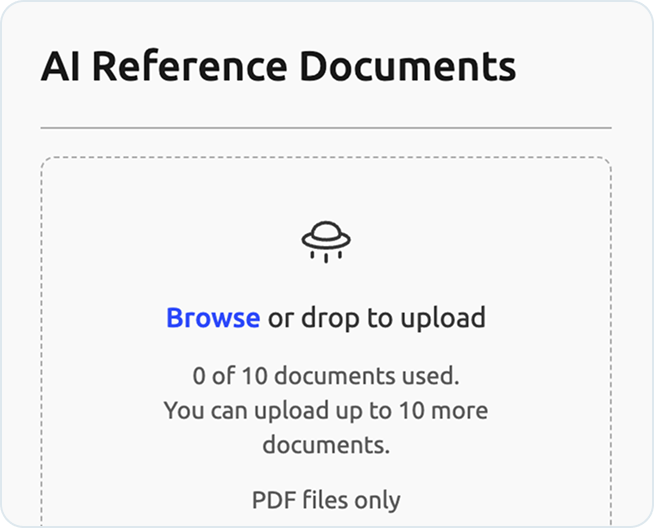
Compare to Past Work
Upload up to 10 previous bids to compare to new opportunities.
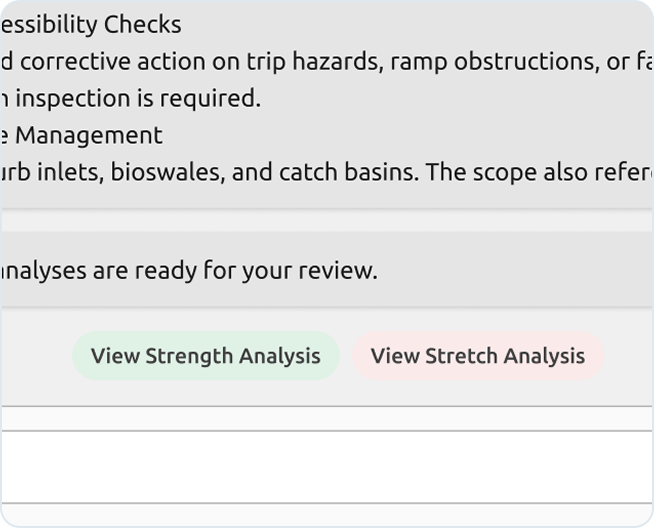
Strength vs. Stretch
See how a new opportunity matches your previous work or where it doesn’t line up with experience.
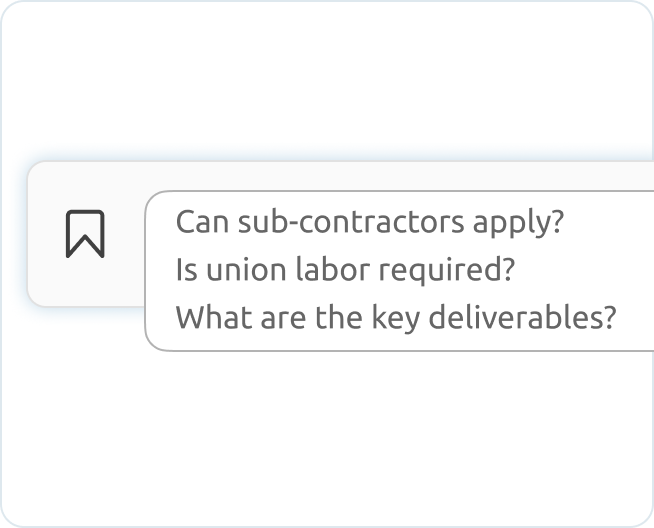
AI Bid Chat
Ask bid-related questions in plain language and get answers directly from the project documents without downloading the solicitation.
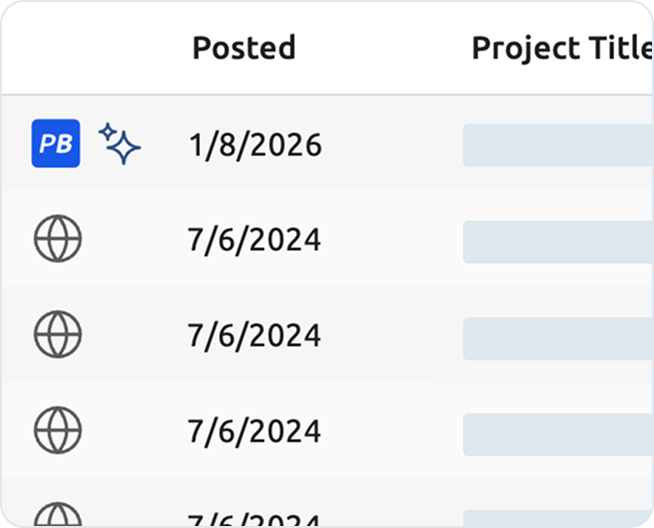
“Chatted” icon
See which bids you’ve already analyzed with VendorLine’s AI so you can pick up where you left off.
FEATURES
Compare to Past Work
Upload up to 10 previous bids to compare to new opportunities.
Compare to Past Work
Upload up to 10 previous bids to compare to new opportunities.
Strength vs. Stretch
See how a new opportunity matches your previous work or where it doesn’t line up with experience.
Strength vs. Stretch
See how a new opportunity matches your previous work or where it doesn’t line up with experience.
AI Bid Chat
Ask bid-related questions in plain language and get answers directly from the project documents without downloading the solicitation.
AI Bid Chat
Ask bid-related questions in plain language and get answers directly from the project documents without downloading the solicitation.
“Chatted” icon
See which bids you’ve already analyzed with VendorLine’s AI so you can pick up where you left off.
“Chatted” icon
See which bids you’ve already analyzed with VendorLine’s AI so you can pick up where you left off.
PROBLEMS SOLVED
-
Finding the right opportunities takes time, much of it wasted on digging through bids that aren't actually a fit.
-
Many projects are listed with only a title or short description, forcing you to open documents just to understand what the agency really needs.
-
Vendors waste hours downloading, reading, and sorting through bid packages before knowing whether a job is worth pursuing.
-
Manual bid review pulls you away from high value work like estimating, planning, and preparing strong responses.
BENEFITS
-
Quickly understand whether an opportunity aligns with your capabilities before investing hours of effort.
-
Skip the document scavenger hunt and surface the details that matter most.
-
Make smarter bid decisions by seeing what aligns with your strengths and what may require additional partners or resources.
-
Gain clear insight into scope, requirements, and next steps faster than you can read it yourself.
-
Let AI handle the early analysis so you can focus on bidding strategically.
HOW IT WORKS
AI Bid Analysis helps you evaluate opportunities faster by reading solicitation documents and summarizing what matters for your business. Upload up to 10 examples of past work, allowing VendorLine's AI to better understand the types of projects you've completed before. When you review a new solicitation, the system highlights where the opportunity aligns with your strengths and where it may stretch into unfamiliar scope.
Use plain language to ask AI Bid Assistant questions directly about an open solicitation, such as key requirements, deadlines, or submission details, and get clear answers pulled directly from the project documents. Your analysis and chat history stay available as you work, so you can return anytime and quickly pick up where you left off.
FEATURES
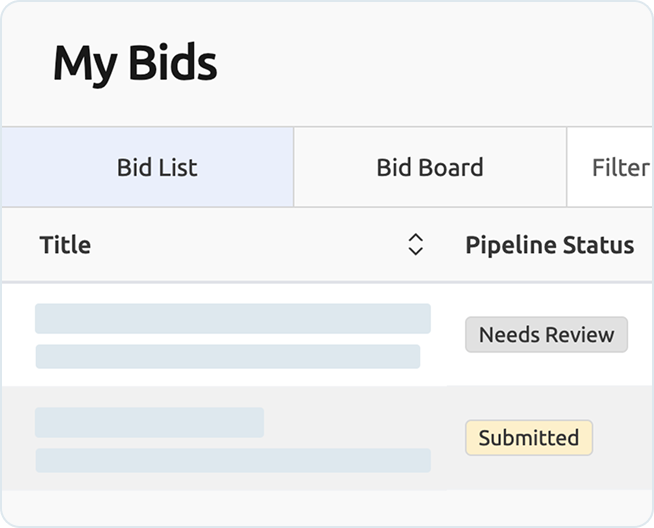
Centralized Tracking
Maintain a single source of truth for all open, watched, or past bids.
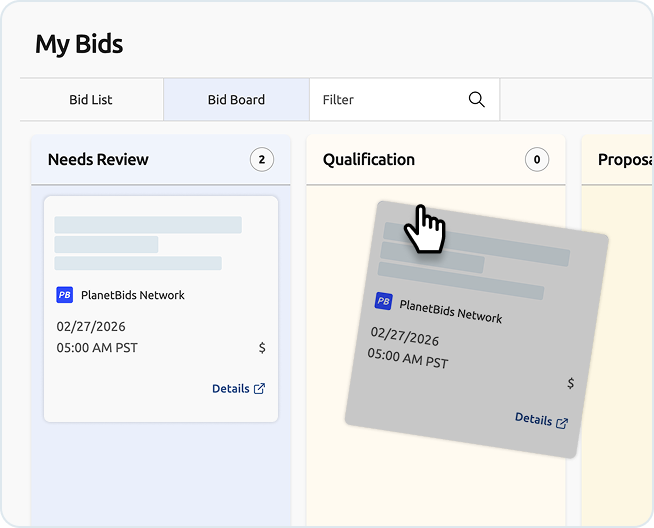
Drag-and-Drop Board
Easily move opportunities across key activity stages to show what’s upcoming, what’s in progress, and what’s most important.
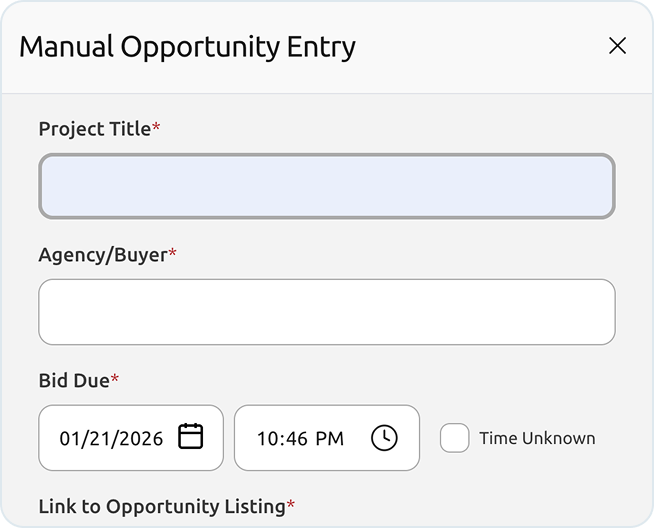
Bring Your Own Bid
Add projects from outside VendorLine easily, allowing AI to analyze and automatically fill in key details.
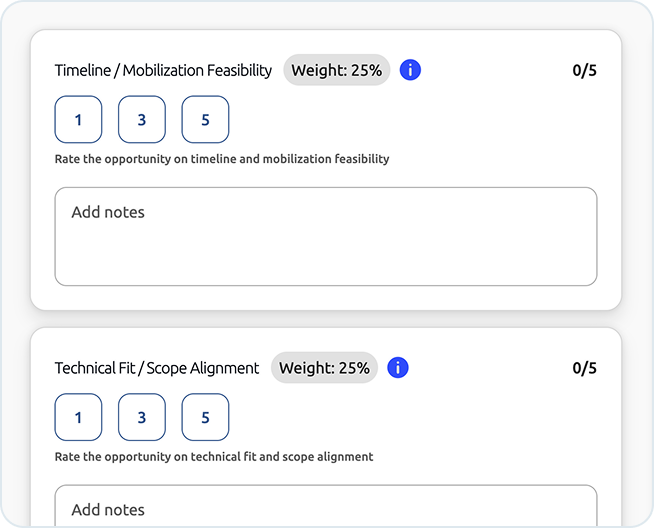
Clear Scoring
Use structured, customizable criteria to score opportunities quickly and capture reasoning behind decision making to justify priorities.
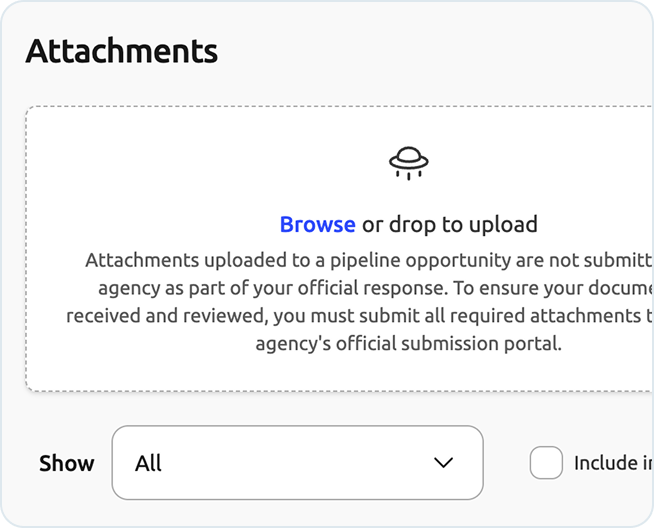
Document Storage
Maintain and easily access bid-related documents like specifications, forms, templates, internal drafts directly within the opportunity, with notes and context so it’s easy to find at submittal.
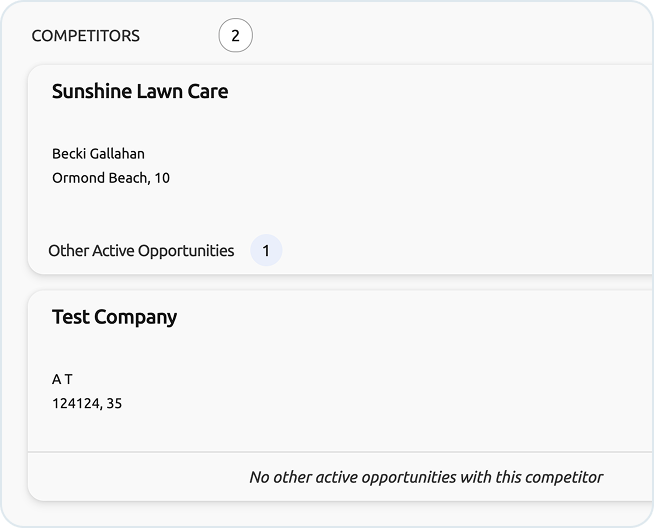
Competitors View
See any opportunities your competition is watching that aren't in your pipeline.
FEATURES
Centralized Tracking
Maintain a single source of truth for all open, watched, or past bids.
Centralized Tracking
Maintain a single source of truth for all open, watched, or past bids.
Drag-and-Drop Board
Easily move opportunities across key activity stages to show what’s upcoming, what’s in progress, and what’s most important.
Drag-and-Drop Board
Easily move opportunities across key activity stages to show what’s upcoming, what’s in progress, and what’s most important.
Bring Your Own Bid
Add projects from outside VendorLine easily, allowing AI to analyze and automatically fill in key details.
Bring Your Own Bid
Add projects from outside VendorLine easily, allowing AI to analyze and automatically fill in key details.
Clear Scoring
Use structured, customizable criteria to score opportunities quickly and capture reasoning behind decision making to justify priorities.
Clear Scoring
Use structured, customizable criteria to score opportunities quickly and capture reasoning behind decision making to justify priorities.
Document Storage
Maintain and easily access bid-related documents like specifications, forms, templates, internal drafts directly within the opportunity, with notes and context so it’s easy to find at submittal.
Document Storage
Maintain and easily access bid-related documents like specifications, forms, templates, internal drafts directly within the opportunity, with notes and context so it’s easy to find at submittal.
Competitors View
See any opportunities your competition is watching that aren't in your pipeline.
Competitors View
See any opportunities your competition is watching that aren't in your pipeline.
PROBLEMS SOLVED
-
Opportunities you care about often end up scattered across spreadsheets, emails, bookmarks, and multiple vendor portals.
-
Without a clear way to track status, it's easy to lose sight of what's due next or where each bid stands.
-
Busy seasons and slow periods can feel unpredictable when you don't have visibility into what's coming up.
-
Many bid search tools help you find opportunities but don't help you manage them once you decide to pursue.
-
Important documents and notes get buried in shared drives or email threads, making it harder to stay organized and compliant.
-
Lack of insight into competitors leaves you wondering whether you're tracking the same opportunities.
BENEFITS
-
Keep all active and upcoming bids organized in one place, with clear status and next steps.
-
Stay ahead of deadlines by tracking every opportunity through key stages of work.
-
Prioritize the most important and impactful work with clear, defensible scoring and notes that support better decision making over time, and keep history for future reference.
-
Add off-platform opportunities so your full pipeline is tracked in one workflow.
-
Spot gaps early by seeing what's in progress, what's coming up, and where your future pipeline may have holes before revenue slows down.
-
Gain visibility into what other vendors are watching so you don't miss key projects in your target market.
HOW IT WORKS
My Bids gives you a visual Bid Board to manage your pipeline from early review through submission and award. Bids move through the stages of Needs Review, Qualification, Proposal in Progress, Submitted, and Award Pending, helping you stay organized as work progresses.
PlanetBids member agencies’ projects automatically update as you take action, while off-platform bids can be tracked manually by dragging them into the right stages. Score opportunities, add notes, and keep key documents attached in one place, so everything is easy to find when it's time to submit.
Select Manual Entry to upload your own bid documents from outside the VendorLine platform, and let AI scan the documents and automatically enter key details to save you hours of manual data entry.
Competitor visibility shows you which opportunities other businesses in your area are watching so you don’t miss any important projects, while you look ahead to avoid any holes in your pipeline.
FEATURES
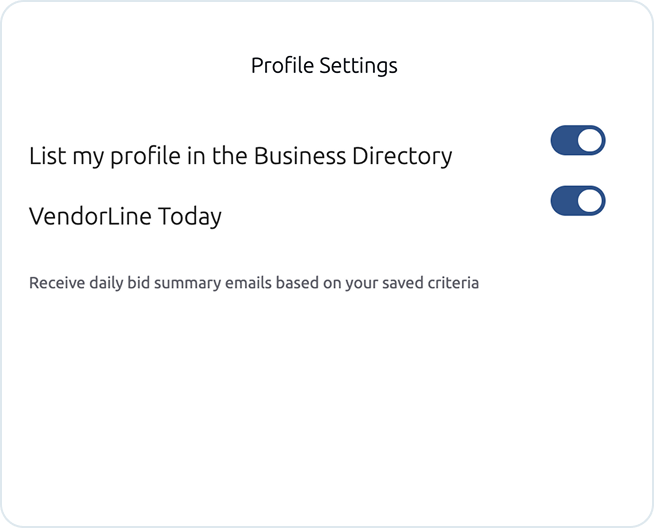
Opt In/Out
Choose whether to include your business in the Business Directory, and make changes to what others see about your business at any time.
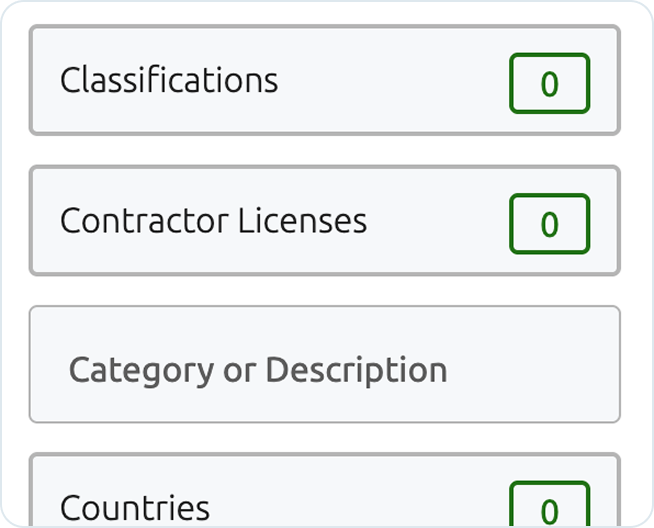
Search Criteria
Search for partner businesses by classification, license type, category, description, or location.
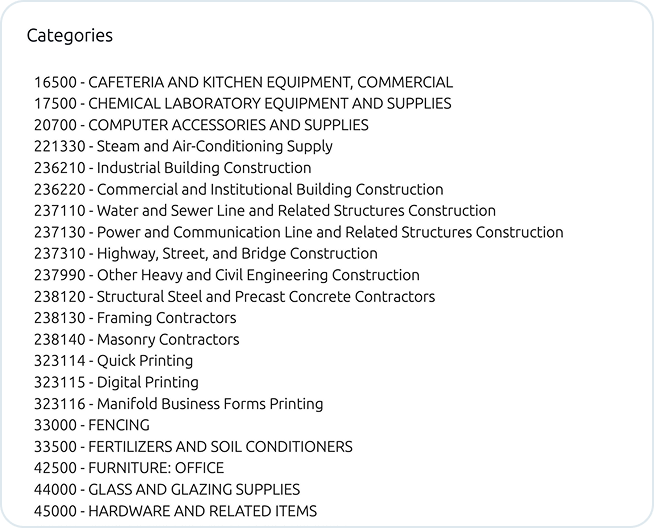
Clear Classification
Easily see what business certifications potential partners hold to make sure you’re picking the right vendor.
FEATURES
Opt In/Out
Choose whether to include your business in the Business Directory, and make changes to what others see about your business at any time.
Opt In/Out
Choose whether to include your business in the Business Directory, and make changes to what others see about your business at any time.
Search Criteria
Search for partner businesses by classification, license type, category, description, or location.
Search Criteria
Search for partner businesses by classification, license type, category, description, or location.
Clear Classification
Easily see what business certifications potential partners hold to make sure you’re picking the right vendor.
Clear Classification
Easily see what business certifications potential partners hold to make sure you’re picking the right vendor.
PROBLEMS SOLVED
-
Getting discovered by prime contractors or new agency partners is difficult, even when you have the right expertise.
-
When a project requires multiple trades or services, finding the right subcontractors or teaming partners can be slow and uncertain.
-
Growing your business often depends on building relationships, but identifying qualified vendors outside your existing network takes time.
- Reaching new partners through traditional outreach or advertising methods can be expensive and difficult to scale.
BENEFITS
-
Smaller businesses can connect with prime contractors and grow into larger projects through new partnerships.
- Prime contractors can quickly find qualified subcontractors and specialty vendors to round out a bid team.
-
Vendors complete Good Faith Efforts and meet contract requirements by finding qualified minority or small business subcontractors.
-
Vendors save time and eliminate the cost of searching for partners through scattered outreach or paid advertising.
-
Businesses expand their reach and grow their network to find new potential partners and build new relationships for future projects, improving competition.
HOW IT WORKS
The Business Directory is a searchable network of vendors and contractors, designed to help businesses connect, partner, and grow in the public sector. Choose to be included in profile settings, making it easier for prime contractors and other businesses to discover your services, certifications, and areas of expertise.
When searching for potential partners, search by vendor name, classification, license type, category, or keywords in a company description, and narrow results by country, state, county, city, and zip code. Each listing provides key business details like company name, contact information, and classification to help you find the right partners or specialty firms faster.
Reach an even broader group of qualified vendors by posting a Sub Bid Ad for your project.
FEATURES
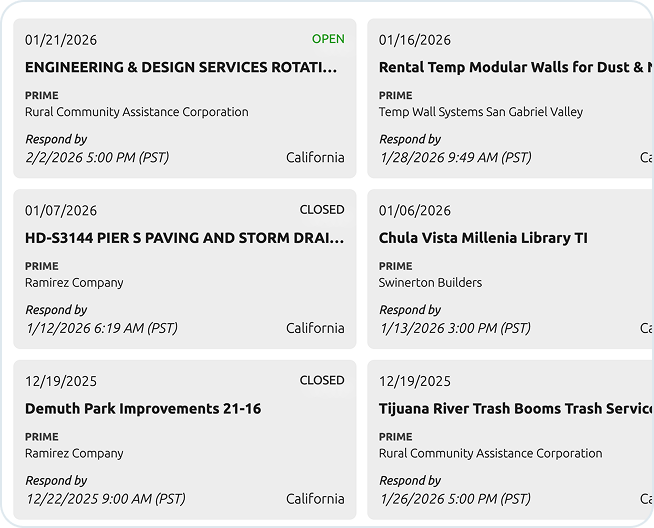
PlanetBids Network
Reach thousands of VendorLine users and PlanetBids member agency suppliers with one posting.
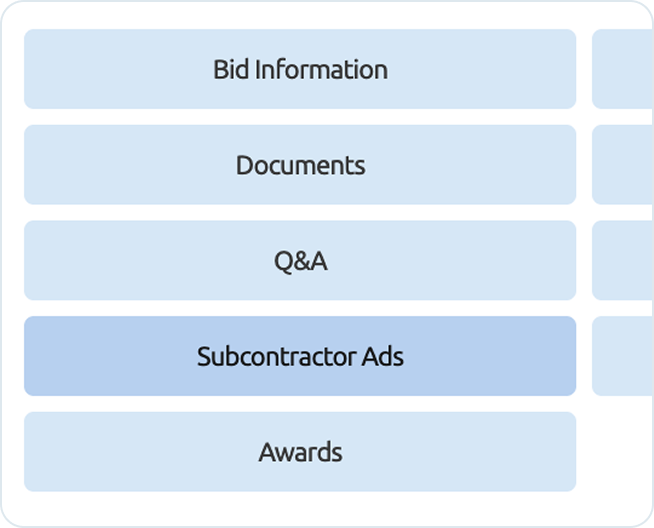
Bid Listing
Sub-Bid Ads are included in the bid listing in the PlanetBids agency’s portal, increasing reach.
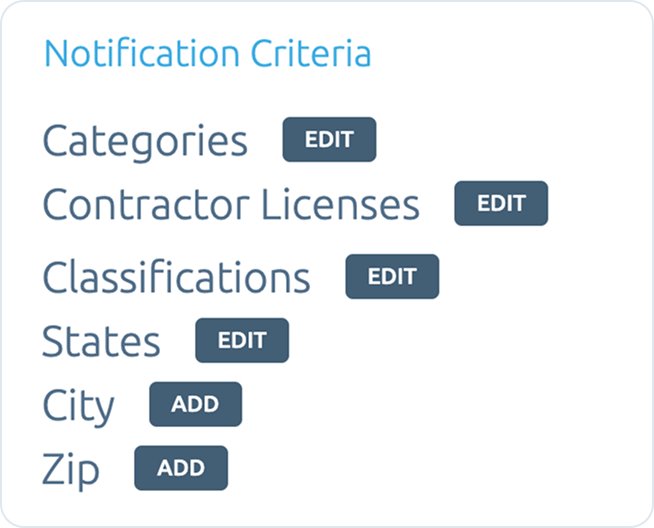
Detailed Criteria
Select potential partners to notify by qualification, classification, category, description, location, and more.
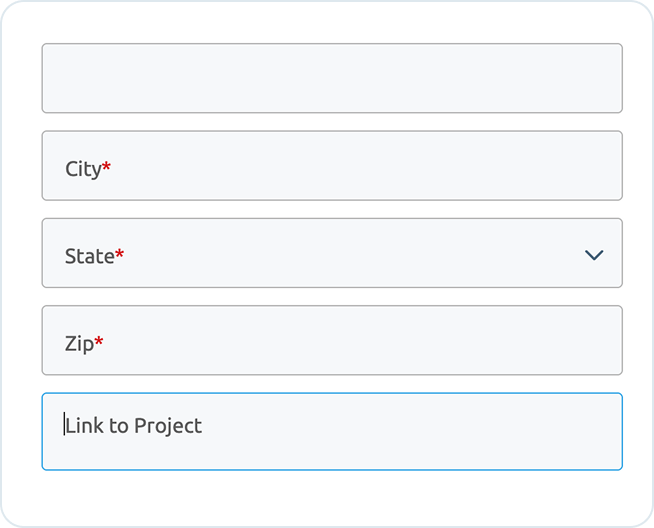
Link Directly to Project
VendorLine will automatically link to the PlanetBids agency’s project, or you can choose a link to include.
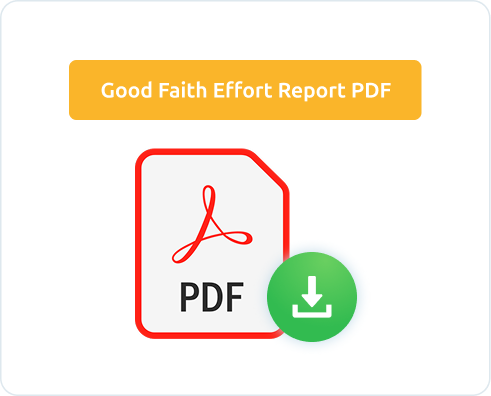
Good Faith Report
Show who you notified about the project to demonstrate effort to find qualified partners.
FEATURES
PlanetBids Network
Reach thousands of VendorLine users and PlanetBids member agency suppliers with one posting.
PlanetBids Network
Reach thousands of VendorLine users and PlanetBids member agency suppliers with one posting.
Bid Listing
Sub-Bid Ads are included in the bid listing in the PlanetBids agency’s portal, increasing reach.
Bid Listing
Sub-Bid Ads are included in the bid listing in the PlanetBids agency’s portal, increasing reach.
Detailed Criteria
Select potential partners to notify by qualification, classification, category, description, location, and more.
Detailed Criteria
Select potential partners to notify by qualification, classification, category, description, location, and more.
Link Directly to Project
VendorLine will automatically link to the PlanetBids agency’s project, or you can choose a link to include.
Link Directly to Project
VendorLine will automatically link to the PlanetBids agency’s project, or you can choose a link to include.
Good Faith Report
Show who you notified about the project to demonstrate effort to find qualified partners.
Good Faith Report
Show who you notified about the project to demonstrate effort to find qualified partners.
PROBLEMS SOLVED
-
You want to pursue larger contracts, but the full scope may require subcontractors or specialty partners to deliver successfully.
-
Finding the right subcontractors can take days of outreach, calls, and guesswork.
-
Traditional sub bid advertising options like newspapers and paid posting services are cumbersome and expensive.
-
Your current partner network may be limited, meaning you end up reaching the same vendors over and over instead of discovering new qualified firms.
BENEFITS
-
Connect with more subcontractors and partner vendors beyond your usual circle.
-
Quickly find qualified matches based on trade, license, and project needs.
-
Save time and reduce the cost of searching for the right partners.
-
Take on bigger, more competitive opportunities with confidence.
-
Show documented Good Faith outreach when subcontracting participation is required.
HOW IT WORKS
Prime contractors and vendors can place Sub Bid Ads to let other companies know they are seeking subcontractors or speciality support on a specific project, with no membership required. Sub Bid Ads are offered on a pay-as-you-go basis, so you can post when you need to without committing to a subscription, and you can advertise any public bid, no matter where it was originally posted.
Add the basic project details and the type of subcontractor you're looking for, then ad more context in the Notes and Ad Detail sections, such as the type of work you need help with, goals or subcontracting requirements, and relevant classifications, licenses, or wage requirements. Select the awarding PlanetBids agency or link to the project if the agency is not a PlanetBids member.
To reach the right partners faster, choose categories and licenses that match your targeted goal, and choose whether to add on additional options like the Good Faith Effort Report or Extra Notifications, which sends up to 500 additional notifications to qualified vendors.
Vendors can view Sub Bid Ads at no cost, making it easier for qualified businesses to discover opportunities and connect with primes.
FEATURES
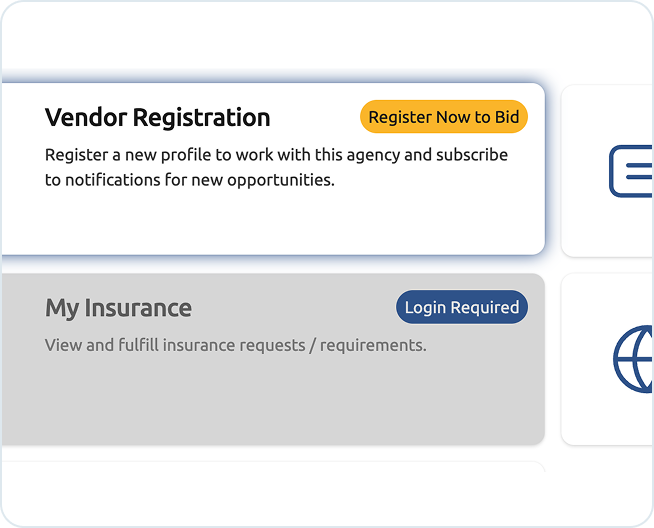
Create New Profiles
Provide information about your business, such as business type, principal owner, time in business, and a description of your business.
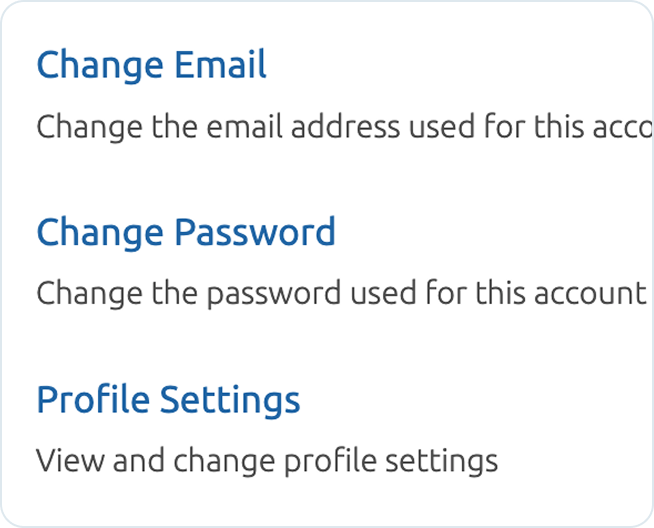
Update Existing Profiles
Make any updates to an existing profile, and choose which agencies should see the updates.
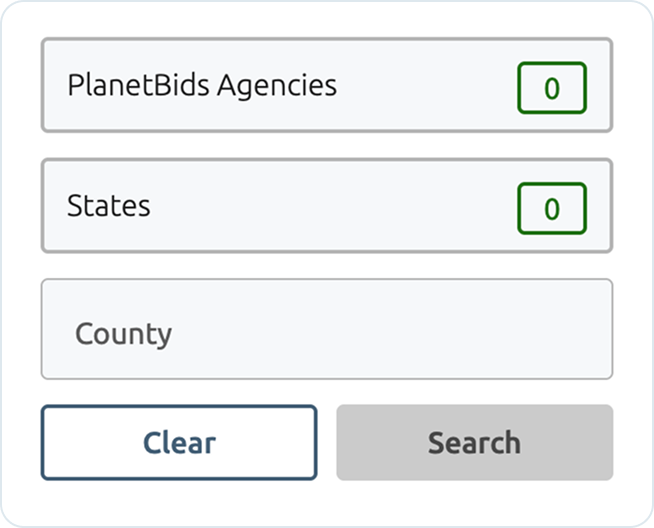
Add New Agencies
Find new agencies to work with by searching for a specific agency or by area, etc.
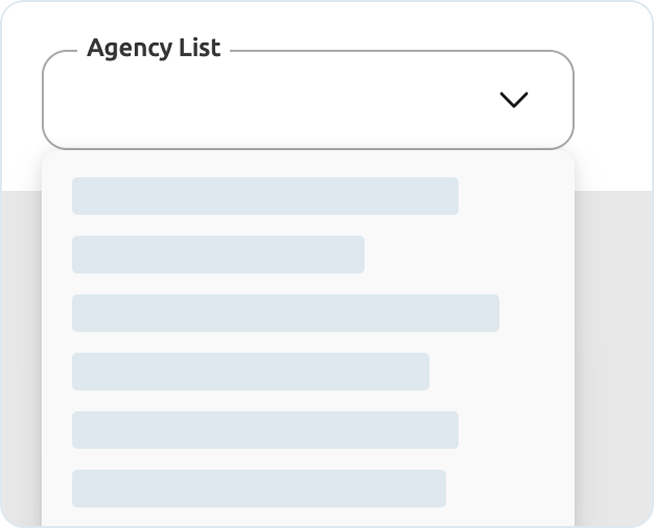
Profile Editor
Make changes to a profile, then select the agencies you want to see that profile.
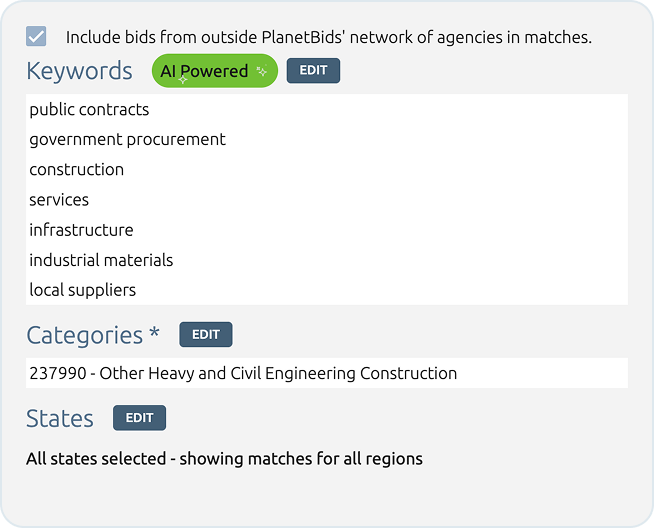
Matching and Notification
Select relevant categories to be matched to bids and choose which agencies you want to be notified of when new opportunities are released.
FEATURES
Create New Profiles
Provide information about your business, such as business type, principal owner, time in business, and a description of your business.
Create New Profiles
Provide information about your business, such as business type, principal owner, time in business, and a description of your business.
Update Existing Profiles
Make any updates to an existing profile, and choose which agencies should see the updates.
Update Existing Profiles
Make any updates to an existing profile, and choose which agencies should see the updates.
Add New Agencies
Find new agencies to work with by searching for a specific agency or by area, etc.
Add New Agencies
Find new agencies to work with by searching for a specific agency or by area, etc.
Profile Editor
Make changes to a profile, then select the agencies you want to see that profile.
Profile Editor
Make changes to a profile, then select the agencies you want to see that profile.
Matching and Notification
Select relevant categories to be matched to bids and choose which agencies you want to be notified of when new opportunities are released.
Matching and Notification
Select relevant categories to be matched to bids and choose which agencies you want to be notified of when new opportunities are released.
PROBLEMS SOLVED
-
Working with public agencies often means creating a separate vendor profile for every agency you want to do business with.
-
Updating your capabilities, certifications, or company information can turn into repetitive work across multiple portals.
-
Finding and keeping track of all the agencies you want to work with can be a challenge, especially as you grow into new markets.
BENEFITS
-
Update your business information quickly without juggling dozens of separate agency portals.
-
Keep your vendor data organized and manage profiles from one central location.
-
Control what each agency sees so you can tailor profiles to different markets or contract types.
-
Choose which agencies and project notifications you want to receive automatically.
-
Access all PlanetBids member agency portals with one login, no matter which profile you use.
HOW IT WORKS
Account Manager gives you one central location to manage your business information across PlanetBids member agencies. Quickly update your company details, capabilities, and certifications without having to reenter the same information repeatedly. Create and manage different agency-specific versions of your profile so each agency sees the information that is most relevant to them.
Explore and register with new agencies instantly and choose whether to be matched with their solicitations and notified about new releases, making it easier to stay in control of what opportunities you see and expand into new markets to grow your public sector work.
Any updates you make are reflected immediately in the agency's view, helping your profiles stay current, accurate, and ready for the next opportunity.
Bid Less. Win More.
Join thousands of vendors using VendorLine to simplify government contracting. Whether you’re exploring new opportunities or chasing your next big win, our platform helps you get there faster.
